If someone you used to snap regularly has suddenly gone quiet, and you can’t find them in your friends list anymore, it’s natural to wonder whether they’ve blocked you. Snapchat doesn’t send any kind of direct notification when someone blocks you, which means you’re left piecing together clues rather than getting a clear, immediate answer. To make things trickier, being blocked can look very similar to a few other situations, like being removed as a friend or the other person deleting their account entirely, each of which leaves slightly different signs behind. In this guide, we’ll walk you through exactly how to know if someone blocked you on Snapchat, the specific signs to check for, how blocking differs from being removed or from someone deleting their account, and what you can realistically do once you’ve confirmed it. Read more articles about Snapplanets.
How Do I Know If Someone Blocked Me on Snapchat?
Snapchat doesn’t announce blocking directly, but there are several consistent, noticeable signs that typically point to it once you know what to look for.
They Disappear From Your Friends List
One of the clearest early signs of being blocked is that the person’s name and Bitmoji disappear entirely from your friends list, as if you were never connected on the app in the first place.
- Their name vanishes from your friends list entirely
- Bitmoji and profile no longer appear in your chats
- Previous chat history with them typically disappears too
- Happens immediately once the block is put in place
- Different from simply being inactive or offline
- Applies the same way regardless of past interaction history
- One of the most immediate signs to notice
- Often the first clue that prompts further checking
You Can’t See Their Snap Score or Story
Alongside disappearing from your friends list, you’ll also lose access to their Snap Score and any stories they post, since blocking removes all visibility between both accounts.
- Their Snap Score no longer appears anywhere on your end
- Stories they post become completely invisible to you
- Applies even if their stories are otherwise public
- Snap Map location sharing also stops working with them
- No shared content remains visible between the two accounts
- Consistent with a full block rather than a partial restriction
- Confirms the disconnection extends beyond just messaging
- A strong supporting sign alongside the missing friends list
How to Check If You’ve Been Blocked (Step by Step)
Beyond noticing the general signs, there are a couple of direct ways to actively check and get a clearer answer about whether you’ve been blocked.
Searching Their Username Directly
Searching for the person’s exact username through Snapchat’s search bar is one of the most reliable ways to check, since a blocked account typically won’t appear in your search results at all.
- Open Snapchat and tap the search bar at the top
- Type in their exact, correctly spelled username
- If blocked, their account won’t appear in results
- Doublecheck spelling before assuming you’re blocked
- Try searching from a different account if possible
- A missing result is a strong, direct indicator
- Works even if you were never mutual friends before
- One of the most commonly recommended checking methods
Trying to Send a Snap or Message
If you still have an old conversation open with that person, attempting to send a new snap or message can also reveal whether you’ve been blocked, based on how the app responds.
- Open your existing chat thread with that person, if available
- Try sending a new snap or text message to them
- A blocked account typically won’t allow the message to send
- The conversation may disappear entirely instead
- Compare this to how normal, unblocked chats behave
- Doesn’t work if the chat history is already gone
- Best used alongside the username search method above
- Provides additional confirmation beyond search results alone
Blocked vs Removed as a Friend: What’s the Difference?
Since removing someone as a friend can look similar to blocking at first glance, it’s important to understand exactly how these two actions differ.
What Happens When Someone Removes You
When someone simply removes you as a friend, rather than blocking you, you’ll disappear from their friends list, but you can typically still find their account through search and send them a new friend request.
- You disappear from their friends list, similar to blocking
- Their account still appears when you search for them
- You can send a new friend request afterward
- Previous Snap Score history may or may not persist
- Doesn’t prevent future interaction if they accept a request
- A less restrictive action compared to a full block
- Often used when someone wants distance, not total cutoff
- Confirmed by the ability to still find their profile
What Happens When Someone Blocks You
Blocking is a more complete restriction, preventing you from finding their account through search, sending them anything, or seeing any of their public content across the app.
- Their account becomes completely unsearchable to you
- No friend request can be sent, since they can’t be found
- All previous shared content and history disappears
- Public content like stories also becomes fully inaccessible
- A far more restrictive action than simple removal
- Applies uniformly across every part of the app
- Cannot be worked around without them unblocking you
- The clearest, most complete form of disconnection
Blocked vs Deleted Their Account | How to Tell
Another common source of confusion is figuring out whether someone blocked you specifically, or whether they’ve deleted their Snapchat account entirely.
Signs Their Account Was Deleted
If the person deleted their entire account rather than blocking you specifically, their username typically becomes available for anyone to claim, and mutual friends would also lose access to their profile.
- Their username may become available for others to use
- Mutual friends also lose access to their account entirely
- Not a personal action directed specifically at you
- Affects every user on the platform equally, not just you
- Checking with mutual friends can help confirm this scenario
- Their account disappears platformwide, not just from your view
- Different from blocking, which is a targeted, individual action
- Worth checking before assuming you’ve been personally blocked
Signs You’re Specifically Blocked
If mutual friends can still find and interact with that person’s account normally while you specifically cannot, this strongly confirms you’ve been individually blocked rather than the account being deleted.
- Mutual friends can still see and interact with their account
- Only your specific account faces the search and messaging restrictions
- Confirms the issue is targeted at you individually
- Rules out the possibility of account deletion entirely
- A reliable way to distinguish between the two scenarios
- Worth asking a trusted mutual friend to check on your behalf
- Provides clearer confirmation than checking alone
- Helps avoid unnecessary confusion about what actually happened
View more articles :
- How to Turn Off Snapchat Spotlight Notifications
- What Does FML Stand For
- GTS Meaning on Snapchat
- What Do Snap Planets Mean
- What Does DND Mean on Snapchat
- How to See Who Screenshotted Your Snapchat Story
- Ghost Mode on Snapchat
- How to Make a Public Profile on Snapchat
- WTM Meaning on Snapchat
- How to Half Swipe on Snapchat
Can You Still See Their Snap Map Location If Blocked?
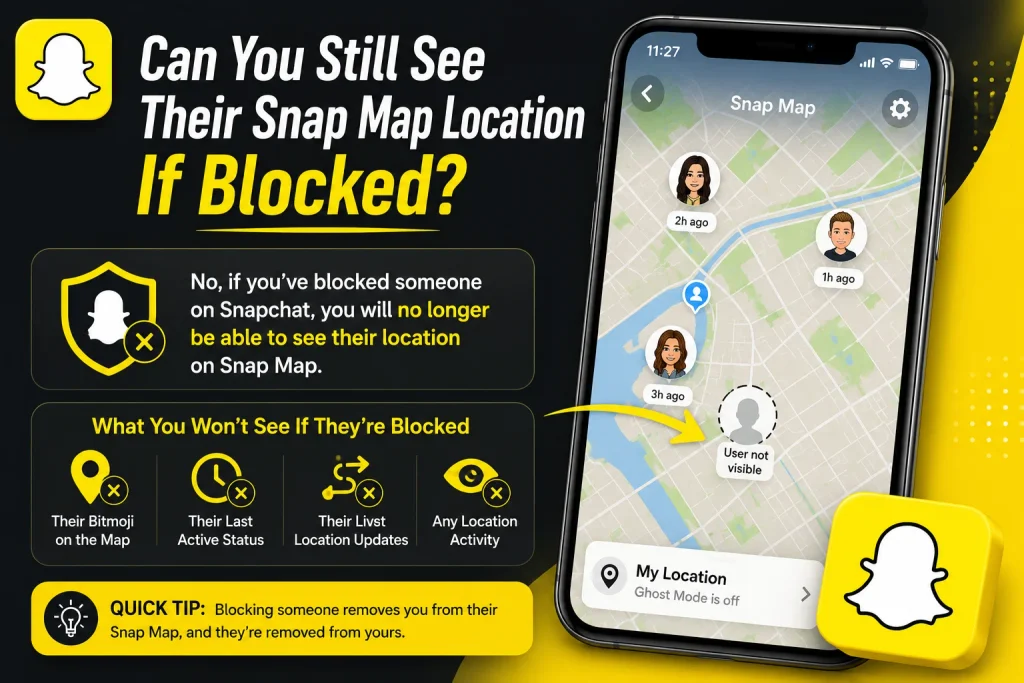
Since Snap Map is a separate feature many users rely on, it’s worth specifically addressing how blocking affects location sharing between two accounts.
What Happens to Location Sharing
Once someone blocks you, any previous location sharing between your accounts on Snap Map is immediately and completely disabled, regardless of your prior sharing settings.
- Location sharing stops working immediately after a block
- Applies regardless of previous Snap Map settings between you
- Their avatar disappears from your map view entirely
- Your avatar also disappears from their map view in return
- Doesn’t require either person to manually adjust settings
- Automatic and immediate as part of the blocking action
- Consistent with how other blocked features behave
- A clear supporting sign alongside other blocking indicators
Other Features That Stop Working
Beyond location sharing, blocking also disables several other shared features between accounts, reinforcing just how comprehensive the restriction actually is.
- Shared streaks are immediately ended and cannot continue
- Group chats you’re both part of may show altered behavior
- Tagged or mentioned content becomes inaccessible between you
- Any pending friend requests are automatically canceled
- Shared Bitmoji features stop functioning between accounts
- Comment or reaction history may become inaccessible
- Reflects a full, all encompassing disconnection overall
- Consistent across every interactive feature within the app
What to Do If You Think You’ve Been Blocked
Once you’ve gathered enough signs pointing toward being blocked, it’s worth knowing what realistic next steps actually look like.
Confirming It Isn’t a Glitch First
Before concluding you’ve definitely been blocked, it’s worth ruling out simpler explanations, like a temporary app glitch, an outdated app version, or a poor internet connection affecting search results.
- Restart the Snapchat app before drawing conclusions
- Check your internet connection for any temporary issues
- Update Snapchat to the latest available version
- Try searching again after restarting your device
- Rule out simple technical explanations first
- Avoid jumping to conclusions from a single failed search
- Helps prevent unnecessary assumptions about someone’s intent
- A reasonable first step before fully confirming a block
What You Can and Can’t Do Next
If a block is confirmed, there’s unfortunately no way to reverse it from your end, since only the person who blocked you has the ability to undo that action.
- Only the blocking account can reverse the block
- No setting exists on your end to bypass a block
- Reaching out through another platform is one remaining option
- Creating a new account to contact them isn’t recommended
- Respecting their decision is generally the appropriate response
- Focus shifts to accepting the situation rather than forcing contact
- No official Snapchat feature exists to appeal a personal block
- Time and space are often the only realistic paths forward
Does Blocking Affect Group Chats and Mutual Friends?
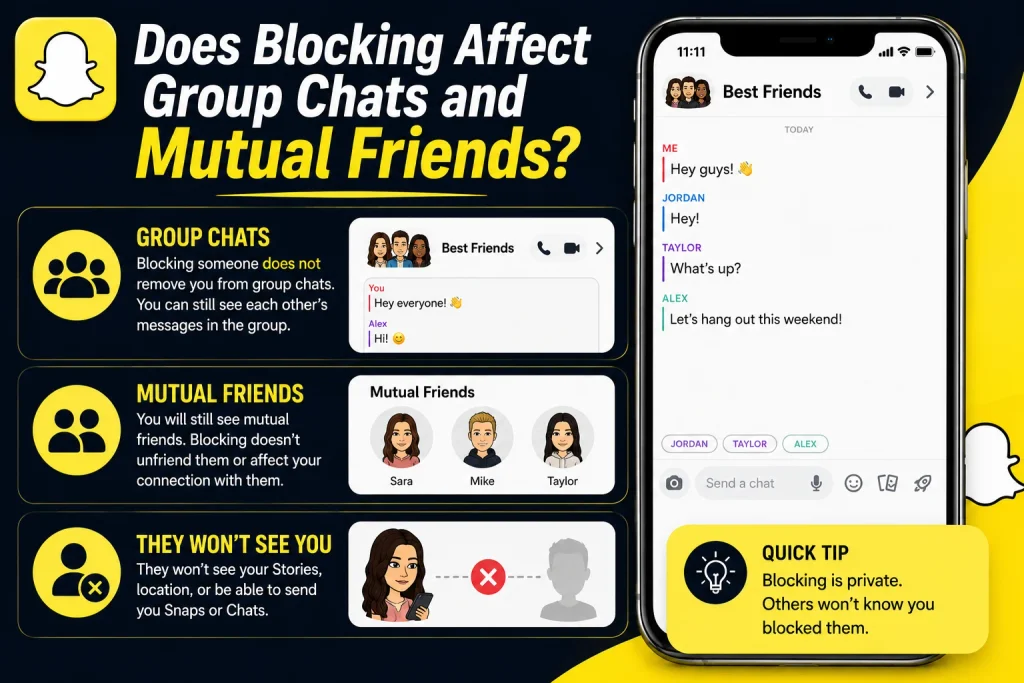
Since a lot of blocking questions come up in the context of shared friend groups, it’s worth clarifying exactly what happens to group chats and mutual connections once a block occurs.
What Happens in Shared Group Chats
If you and the person who blocked you are both part of the same group chat, you’ll typically still see the group and other members’ messages, but direct interaction between you and that specific person within the group becomes restricted.
- The group chat itself generally remains accessible to you
- Messages from other, unblocked members still appear normally
- Direct interaction with the blocking user remains restricted
- Their individual messages within the group may not display
- Doesn’t remove you from the group automatically
- Other members typically aren’t notified of the block
- Group functionality otherwise continues as normal
- One of the more nuanced blocking behaviors to understand
Do Mutual Friends Get Notified?
No, Snapchat does not notify mutual friends or anyone else when one account blocks another, meaning this remains a private action known only to the two accounts directly involved.
- No notification is sent to mutual or shared friends
- The action remains private between the two accounts
- Mutual friends may only notice if they ask directly
- No public indicator appears anywhere within the app
- Keeps the situation discreet unless discussed openly
- Consistent with Snapchat’s general approach to blocking
- Reduces unnecessary group drama or public attention
- Confirms blocking is a personal, contained action overall
Conclusion
Figuring out whether someone blocked you on Snapchat comes down to a few consistent signs: their account disappearing from your friends list and search results, an inability to send them snaps or messages, and the loss of shared features like Snap Map location and streaks. While being removed as a friend or someone deleting their account can look similar at first, checking with mutual friends or attempting a direct search usually clarifies exactly what’s happened. Since there’s no way to reverse a block from your end, the most realistic path forward is simply accepting the situation and respecting the other person’s decision. Now that you know exactly what to look for, you can confirm the situation with confidence rather than being left guessing.
How do I know if someone blocked me on Snapchat?
Check if their account disappears from your friends list and search results, and try sending a snap to see if it fails to deliver.
What’s the difference between being blocked and removed on Snapchat?
Being removed still lets you find and read that person, while being blocked makes their account completely unsearchable and unreachable.
Can you still see someone’s Snapchat story if they blocked you?
No, blocking removes access to their stories entirely, even if those stories are otherwise set to public visibility.
Does a blocked contact disappear from your Snap Map?
Yes, location sharing between both accounts is immediately disabled, and their avatar disappears from your Snap Map view completely.
Pingback: How to Delete Stickers on Snapchat (All Methods Explained)
Pingback: What Does FML Stand For? Full Meaning & How It's Used
Pingback: What Does Followers Mean on Snapchat? Full Explanation