If you’ve opened Snapchat and noticed a small purple ring wrapped around someone’s Bitmoji or profile picture, you’re not the only one who’s paused to wonder exactly what it’s telling you. Snapchat relies heavily on color coded circles to communicate different types of activity across the app, and while purple is one of the most common colors you’ll run into, its exact meaning can shift slightly depending on which part of the app you’re looking at, whether that’s your Stories tab, the Quick Add section, or the Added Me screen. This small design detail causes a surprising amount of confusion, especially since the same purple color can mean something a little different in each of these spots. In this guide, we’ll break down exactly what the purple circle means on Snapchat, how it shows up around a friend’s Bit moji, what it means specifically in Quick Add and on the Added Me screen, and how it compares to Snapchat’s other color coded circles. Read more articles about Snapplanets.
What Does the Purple Circle Mean on Snapchat?
At its core, the purple circle is tied to one main concept across most of the app, even though the specific context can shift its meaning slightly.
The Basic Meaning: An Unviewed Story
In most cases, a purple circle around someone’s Bitmoji or profile means that person has posted a Story within the last 24 hours that you haven’t watched yet, serving as a quick visual cue to let you know fresh content is waiting to be seen.
- Indicates a Story has been posted within the last 24 hours
- Signals that you specifically haven’t viewed it yet
- Appears around the person’s Bitmoji or profile picture
- Applies to both friends and certain nonfriend accounts
- One of Snapchat’s most common colorcoded indicators
- Doesn’t require you to be mutual friends to appear
- Confirmed consistently across multiple current Snapchat guides
- Disappears automatically once you’ve watched the Story
Purple vs Gray Circle
Once you’ve viewed a Story, the purple circle changes to gray, letting you know the content is still available to rewatch within its remaining time window, but that you’ve already seen it at least once.
- Gray circle means you’ve already viewed that Story
- Story remains rewatchable until it expires after 24 hours
- Purple returns again once that person posts something new
- The color shift happens immediately after you view it
- Helps you quickly identify new content versus already seen content
- Applies the same way across both friends and public accounts
- A simple, consistent color system used throughout the app
- Doesn’t affect the story’s actual visibility window or expiration
What Does the Purple Circle Mean on the Bitmoji?
Since the purple circle appears directly around a person’s Bitmoji in several parts of the app, it’s worth looking closer at what it specifically signals there.
Purple Circle Around a Friend’s Bitmoji
When you see a purple circle specifically around a friend’s Bitmoji, whether on the Stories tab or elsewhere, it’s confirming that this particular friend has new Story content available that you haven’t watched, functioning as a direct, personal notification rather than a generic appwide alert.
- Confirms that friend specifically has an unviewed Story
- Appears wrapped directly around their Bitmoji avatar
- Functions as a personal, friendspecific notification
- Updates automatically as new Stories are posted
- Disappears once you’ve watched their most recent Story
- Doesn’t apply to older Stories outside the 24hour window
- Consistent regardless of how close that friendship is
- One of the most common places users encounter this circle
Purple Circle With a Lock Icon
If you spot a purple circle paired with a small lock symbol, this specifically indicates a Private Story, meaning the content is only being shared with a select, limited group of people rather than that person’s entire friends list.
- Indicates the Story is a Private Story specifically
- Content is shared with only a select group of people
- Works similarly to Instagram’s Close Friends feature
- The lock icon distinguishes it from a regular public Story
- You’ll only see this if you’ve been added to that private list
- Doesn’t appear for Stories shared with all friends generally
- A more exclusive, limited version of standard Story sharing
- Confirmed as a distinct visual variation of the purple indicator
View more articles :
- How to Turn Off Snapchat Spotlight Notifications
- What Does FML Stand For
- GTS Meaning on Snapchat
- What Do Snap Planets Mean
- What Does DND Mean on Snapchat
- How to See Who Screenshotted Your Snapchat Story
- Ghost Mode on Snapchat
- How to Make a Public Profile on Snapchat
- WTM Meaning on Snapchat
- How to Half Swipe on Snapchat
What Does the Purple Circle Mean on Quick Add?
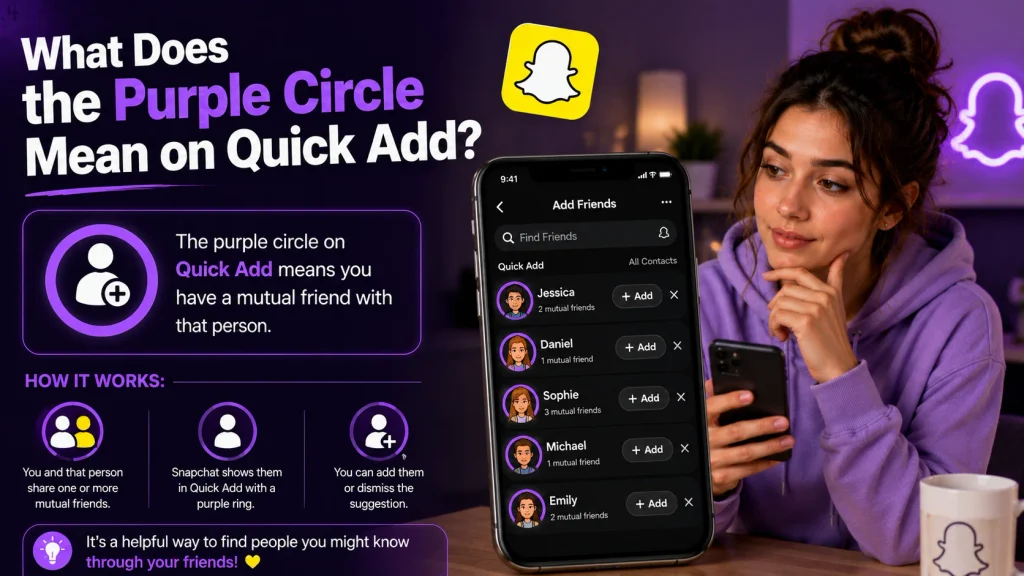
The Quick Add section, where Snapchat suggests accounts you might want to add, is another common place users spot purple circles, though the meaning here comes with a slight caveat.
Purple Circles in the Quick Add Section
Within the Quick Add section specifically, purple circles most often indicate that the suggested person has posted a Story you haven’t seen, giving you a preview of their content even before you’ve added them as a friend.
- Often indicates a suggested account has an unviewed Story
- Lets you preview content before deciding to add someone
- Appears alongside their Bitmoji in the suggestions list
- Common for public profiles and suggested connections
- Doesn’t require mutual friendship to display this indicator
- Works the same way as the Stories tab in most cases
- Helps surface active, currently posting accounts to you
- One of several signals Snapchat uses to encourage adding
Does It Mean Anything Special There?
According to some more detailed breakdowns, the purple circle specifically framing the suggested friends carousel at the very top of the Stories page can sometimes function as more of a general design element rather than a meaningful content indicator, so it’s worth not overreading every single instance.
- Some placements are more decorative than informational
- The top suggested friends carousel can be a design choice
- Doesn’t always guarantee unwatched content is waiting
- Most other Quick Add placements still follow the standard meaning
- Worth tapping through if you’re ever genuinely unsure
- A minor exception rather than the general rule overall
- Doesn’t change the meaning found elsewhere in the app
- Best treated as generally reliable, with rare exceptions
What Does the Purple Circle Mean on Added Me?
The Added Me screen is one place where the purple circle’s meaning shifts noticeably compared to everywhere else in the app.
Purple Circle From a Quick Add Friend Request
On the Added Me screen specifically, a purple circle next to someone’s name typically means that person added you as a friend through the Quick Add feature, rather than indicating anything about a Story they’ve posted.
- Signals the person added you specifically through Quick Add
- Appears on the dedicated Added Me screen only
- Doesn’t relate to Story content in this particular context
- Quick Add lets users add each other without searching directly
- A completely different meaning than the Stories tab version
- Helps you identify how a new connection found your profile
- Confirmed across multiple current Snapchat explainer guides
- One of the more commonly misunderstood versions of this circle
How This Differs From the Stories Tab Meaning
This is exactly where a lot of the confusion around the purple circle comes from, since the same color and shape carries a completely different meaning depending on whether you’re looking at the Added Me screen or the Stories tab.
- Stories tab purple circle means an unviewed Story exists
- Added Me screen purple circle means a Quick Add request instead
- Same visual design, but two entirely different underlying meanings
- Context, meaning which screen you’re on, determines the meaning
- A frequent source of confusion across many user questions online
- Worth checking which specific screen you’re viewing first
- Helps explain seemingly inconsistent purple circle behavior
- Understanding this distinction resolves most related confusion
Purple Circle vs Other Snapchat Colors
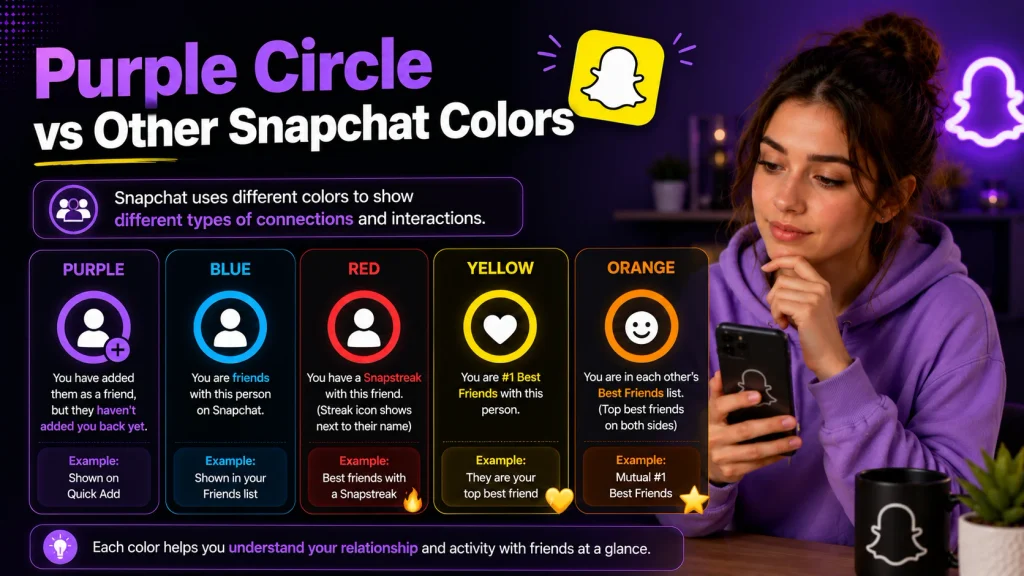
Since Snapchat uses several different circle colors throughout the app, understanding how purple compares helps clarify the broader color system.
Blue Circle Meaning
A blue circle generally indicates that someone has sent you a Snap containing audio or video content within a direct chat, distinguishing it from the storyrelated purple indicator found elsewhere in the app.
- Indicates a chat based Snap with audio or video content
- Appears specifically within direct messages, not Stories
- Distinct from the Storyrelated purple circle entirely
- Signals new, unopened chat content specifically
- Disappears once you’ve opened and viewed that Snap
- Applies to one on one and group chat conversations alike
- Part of the same broader colorcoded notification system
- Helps separate chat activity from Story activity visually
Red Circle Meaning
A red circle typically indicates a regular photo Snap sent through a direct chat, following the same basic logic as the blue circle but specifically representing photobased content instead of audio or video.
- Indicates a standard photo Snap sent via direct chat
- Distinguishes photo content from audio or video Snaps
- Also appears specifically within chat conversations
- Disappears once the photo Snap has been opened
- Works alongside blue and purple as part of the same system
- Doesn’t relate to Story content in any way
- Consistent across both individual and group conversations
- Rounds out Snapchat’s core colorcoded notification set
Why Do I Keep Seeing Purple Circles From People I Don’t Know?
It’s common to notice purple circles around accounts you’re not even friends with, which comes down to how Snapchat surfaces public and suggested content.
Public and Suggested Content Explained
If an account has a public profile or is being actively suggested to you, their Story content can appear with a purple circle even without an existing friendship, since Snapchat surfaces this content as part of its broader Discover and suggestion features.
- Public profiles can display purple circles without mutual friendship
- Suggested accounts appear as part of Snapchat’s recommendation system
- Doesn’t require adding someone to see their public Story activity
- Common for creators, influencers, or public accounts specifically
- Reflects Snapchat’s broader content discovery features
- Purple circle behavior remains consistent with the standard meaning
- Simply indicates unviewed content, regardless of friendship status
- A normal part of browsing suggested content on the platform
How to Stop Seeing Them
If you’d rather not see purple circles from suggested, nonfriend accounts cluttering your feed, Snapchat allows you to dismiss individual suggestions directly from the relevant screen.
- Tap the small x icon next to a suggested account’s name
- This removes that specific suggestion from your view
- Doesn’t block or report the account in any way
- Simply stops that particular suggestion from reappearing
- May need to be repeated as new suggestions rotate in
- Doesn’t affect purple circles from your actual friends
- A quick, simple way to reduce suggestion clutter
- Available directly within the Quick Add and Stories screens
Why Did the Purple Circle Suddenly Disappear?
Sometimes users notice a purple circle vanish unexpectedly, even without remembering having watched that Story, which usually comes down to one of a few straightforward explanations.
Common Reasons It Disappears
The most likely explanation is that the Story simply expired after its 24hour window ended, though accidental viewing, the person deleting their Story, or a brief app glitch can also cause the circle to disappear sooner than expected.
- The 24hour Story window may have naturally expired
- You may have accidentally tapped and briefly viewed it
- The person could have deleted their Story manually
- Temporary app glitches occasionally cause early disappearance
- Switching between screens quickly can sometimes register a view
- Restarting the app can help confirm if it’s a genuine glitch
- Doesn’t usually indicate anything concerning has happened
- One of these explanations covers the vast majority of cases
What to Do If It Seems Like a Glitch
If a purple circle disappears in a way that doesn’t match any of the usual explanations, a few quick troubleshooting steps are generally enough to confirm whether it’s a real issue or just a temporary display hiccup.
- Restart the Snapchat app to refresh your Stories tab
- Check your internet connection for any temporary issues
- Update Snapchat to the latest available app version
- Ask the friend directly if their Story is still active
- Confirm whether the 24hour window has genuinely passed
- Log out and back in if the issue continues persisting
- Rare and usually resolves without needing further action
- Not typically a sign of any deeper account problem
Conclusion
The purple circle on Snapchat most commonly signals that someone has posted a Story you haven’t watched yet, whether that’s a close friend, a public profile, or a suggested account in Quick Add. The one notable exception is the Added Me screen, where the same purple circle instead means someone added you through Quick Add rather than referring to a Story at all. Once you understand this distinction, along with how purple compares to the blue and red circles used for chat based Snaps, Snapchat’s colorcoded system becomes far easier to read at a glance. Now that you know exactly what each version of the purple circle means, you’ll never have to wonder what that little ring is trying to tell you again.
What does the purple circle mean on Snapchat?
It generally means that person has posted a Story within the last 24 hours that you haven’t watched yet.
What’s the difference between a purple and gray circle?
Purple means the Story hasn’t been viewed yet, while gray means you’ve already watched it but it’s still available to re watch.
What does the purple circle mean on Quick Add?
In most cases, it indicates the suggested account has an unviewed Story, though a few placements are more decorative than meaningful.
Pingback: How to Make a Public Profile on Snapchat (Step by Step)
Pingback: Snapchat Memories Storage | New Limits, Plans & Pricing Explained